Feature Gallery
These examples are automatically generated from sample config files at during the build. You can see the TOML that defined them and the final results demonstrating many of the features of BgRaster. Note that anything under render and output.hardware_output is used for generating these files without physical displays so is not useful under most production scenarios.
Background Color
- What it demonstrates: solid background color fill.
- Sample config: background.toml
View sample TOML
# $schema: https://raw.githubusercontent.com/gameshowpro/BgRaster/refs/heads/main/docs/schemas/bgraster-config.schema.json

[background]
color = ["#1A365D"]

[grid]
size = ["0"]

[circle]
color = ["#00000000"]

[crosshair]
stroke = ["0"]
color = ["#00000000"]

[labeled-edges]
thickness = ["0"]
side = []

[text]
format = [""]

[logo]
source = [""]

########### Everything from here ownwards is for sample-building purposes.
########### Remove this is you're copying this sample to a production-ready config file.
[render]
no-assignment = true
no-discovery = true

[[output]]
target = 0

[output.hardware_output]
index = 0
desktopX = 0
desktopY = 0
widthPx = 640
heightPx = 480
dpiX = 96
dpiY = 96
rotation = 0
adapterName = "FIXED"
friendlyName = "Background Color"

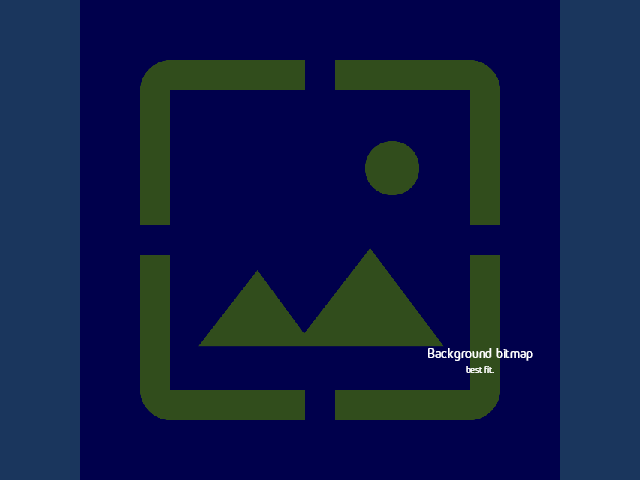
Background Image
- What it demonstrates: background bitmap rendering and fit behavior.
- Sample config: background-image.toml
View sample TOML
# $schema: https://raw.githubusercontent.com/gameshowpro/BgRaster/refs/heads/main/docs/schemas/bgraster-config.schema.json

[background]
color = ["#1A365D"]
image = ["images/background.png"]
fit = ["BestFit"]

[grid]
size = ["0"]

[circle]
color = ["#00000000"]

[crosshair]
stroke = ["0"]
color = ["#00000000"]

[labeled-edges]
thickness = ["0"]
side = []

[text]
format = ["Background bitmap<br>", "best fit."]

[logo]
source = [""]

########### Everything from here ownwards is for sample-building purposes.
########### Remove this is you're copying this sample to a production-ready config file.
[render]
no-assignment = true
no-discovery = true

[[output]]
target = 0
Background Alternating
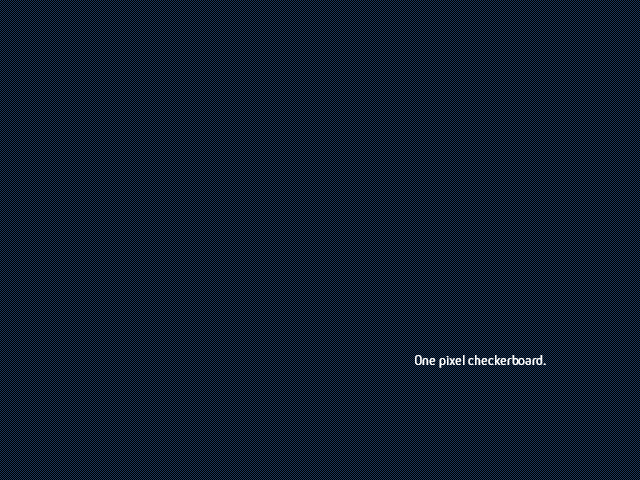
- What it demonstrates: alternating-pixel checker pattern used for signal verification. You probably need to zoom in to appreciate this. However you try to zoom it, it will probably look mushy. It's already telling you something about your render pipeline!
- Sample config: background-alternating.toml
View sample TOML
# $schema: https://raw.githubusercontent.com/gameshowpro/BgRaster/refs/heads/main/docs/schemas/bgraster-config.schema.json

[background]
color = ["#1A365D"]
alternating = [true]

[grid]
size = ["0"]

[circle]
color = ["#00000000"]

[crosshair]
stroke = ["0"]
color = ["#00000000"]

[labeled-edges]
thickness = ["0"]
side = []

[text]
format = ["One pixel checkerboard."]

[logo]
source = [""]

########### Everything from here ownwards is for sample-building purposes.
########### Remove this is you're copying this sample to a production-ready config file.
[render]
no-assignment = true
no-discovery = true

[[output]]
target = 0
Grid
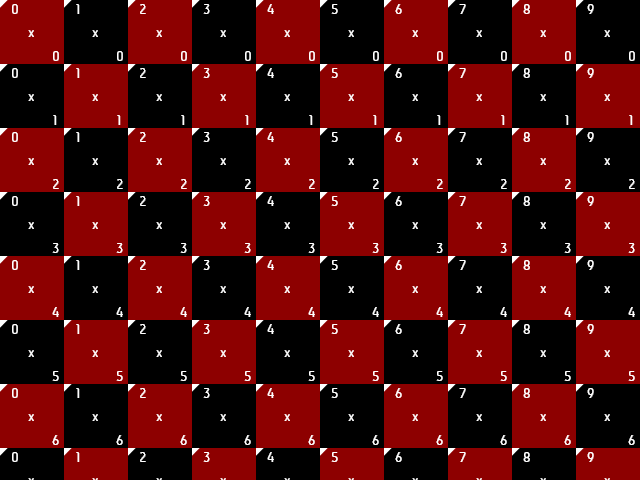
- What it demonstrates: checker/grid layer with labels for column and row numbers. The labels include an triangle to mark the corner that the text refers to.
- Sample config: grid.toml
View sample TOML
# $schema: https://raw.githubusercontent.com/gameshowpro/BgRaster/refs/heads/main/docs/schemas/bgraster-config.schema.json

[background]
color = ["#000000"]

[grid]
size = ["64px"]
odd-color = ["#000"]
even-color = ["#8d0000"]
coordinates = [true]

[circle]
color = ["#00000000"]

[crosshair]
stroke = ["0"]
color = ["#00000000"]

[labeled-edges]
side = []

[text]
format = [""]

[logo]
source = [""]

########### Everything from here ownwards is for sample-building purposes.
########### Remove this is you're copying this sample to a production-ready config file.
[render]
no-assignment = true
no-discovery = true

[[output]]
target = 0
Circle
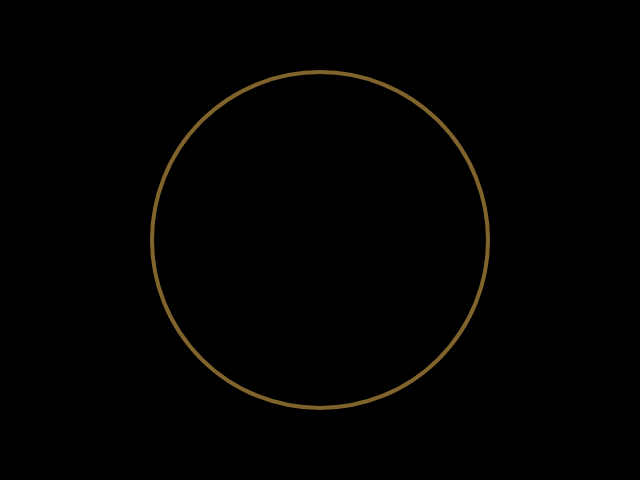
- What it demonstrates: centered circle sizing and stroke behavior.
- Sample config: circle.toml
View sample TOML
# $schema: https://raw.githubusercontent.com/gameshowpro/BgRaster/refs/heads/main/docs/schemas/bgraster-config.schema.json

[background]
color = ["#000000"]

[grid]
size = ["0"]

[circle]
size = ["70vmin"]
color = ["#FFC85780"]
stroke = ["4px"]

[crosshair]
stroke = ["0"]
color = ["#00000000"]

[labeled-edges]
thickness = ["0"]
side = []

[text]
format = [""]

[logo]
source = [""]

########### Everything from here ownwards is for sample-building purposes.
########### Remove this is you're copying this sample to a production-ready config file.
[render]
no-assignment = true
no-discovery = true

[[output]]
target = 0
Crosshair
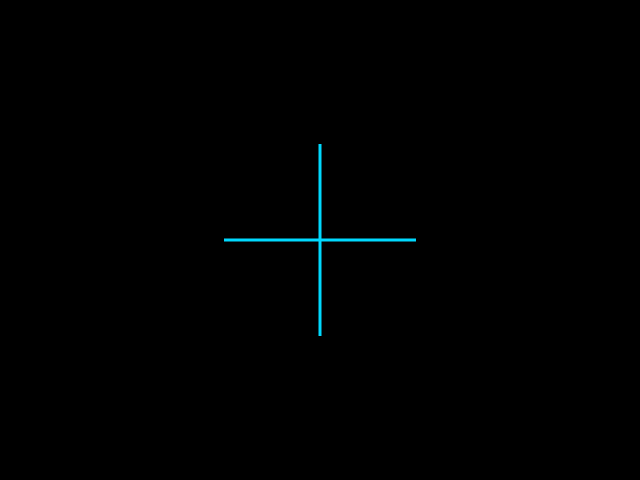
- What it demonstrates: centered crosshair with configurable arm length and stroke.
- Sample config: crosshair.toml
View sample TOML
# $schema: https://raw.githubusercontent.com/gameshowpro/BgRaster/refs/heads/main/docs/schemas/bgraster-config.schema.json

[background]
color = ["#000000"]

[grid]
size = ["0"]

[crosshair]
length = ["40vmin"]
color = ["#00D9FF"]
stroke = ["3px"]

[circle]
color = ["#00000000"]

[labeled-edges]
thickness = ["0"]
side = []

[text]
format = [""]

[logo]
source = [""]

########### Everything from here ownwards is for sample-building purposes.
########### Remove this is you're copying this sample to a production-ready config file.
[render]
no-assignment = true
no-discovery = true

[[output]]
target = 0
Labeled Edges
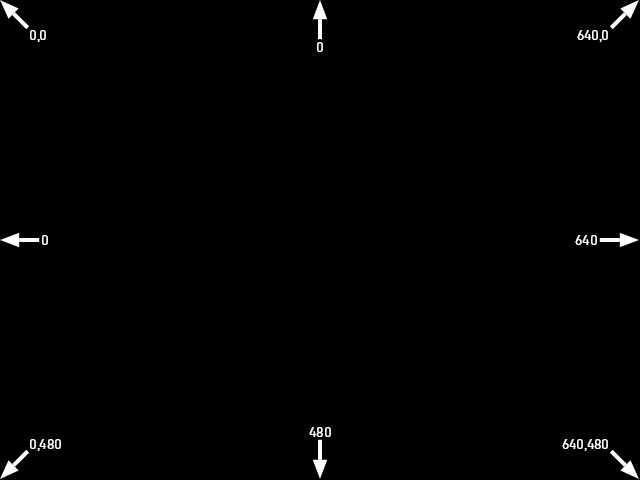
- What it demonstrates: edge labels, tail-length, and scope behavior.
- Sample config: labeled-edges.toml
View sample TOML
# $schema: https://raw.githubusercontent.com/gameshowpro/BgRaster/refs/heads/main/docs/schemas/bgraster-config.schema.json

[background]
color = ["#000000"]

[grid]
size = ["0"]

[labeled-edges]
text-size = ["14px"]
tail-length = ["20px"]
thickness = ["4px"]
head-scale = [1.2]
scope = ["Output"]
side = ["TL", "T", "TR", "R", "BR", "B", "BL", "L"]

[circle]
color = ["#00000000"]

[crosshair]
stroke = ["0"]
color = ["#00000000"]

[text]
format = [""]

[logo]
source = [""]

########### Everything from here ownwards is for sample-building purposes.
########### Remove this is you're copying this sample to a production-ready config file.
[render]
no-assignment = true
no-discovery = true

[[output]]
target = 0
Text + Logo
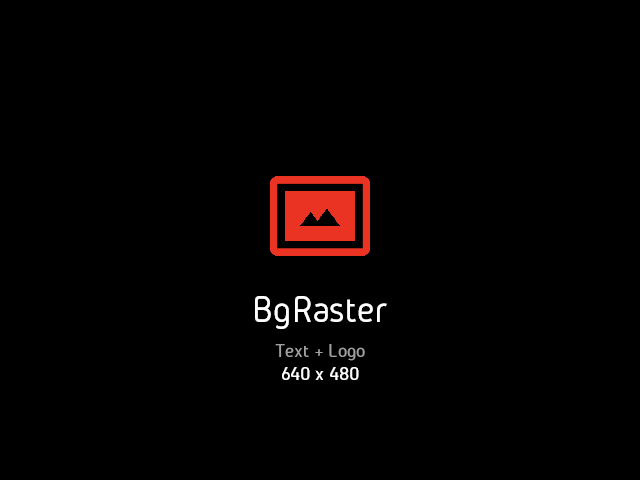
- What it demonstrates: text composition and inclusion of arbitrary logo bitmap.
- Sample config: text-logo.toml
View sample TOML
# $schema: https://raw.githubusercontent.com/gameshowpro/BgRaster/refs/heads/main/docs/schemas/bgraster-config.schema.json

[background]
color = ["#000000"]

[grid]
size = ["0"]

[text]
format = ["BgRaster<br>", "Text + Logo<br>", "${OutputWidth} x ${OutputHeight}"]
size = ["8vh", "4vh", "4vh"]
color = ["#FFFFFF", "#a0a0a0", "#FFFFFF"]
x = ["50vw"]
y = ["70vh"]

[logo]
source = ["images/logo.png"]
x = ["50vw"]
y = ["45vh"]
width = ["40vw"]
height = ["25vh"]

[circle]
color = ["#00000000"]

[crosshair]
stroke = ["0"]
color = ["#00000000"]

[labeled-edges]
thickness = ["0"]
side = []

########### Everything from here ownwards is for sample-building purposes.
########### Remove this is you're copying this sample to a production-ready config file.
[render]
no-assignment = true
no-discovery = true

[[output]]
target = 0

[output.hardware_output]
index = 0
desktopX = 0
desktopY = 0
widthPx = 640
heightPx = 480
dpiX = 96
dpiY = 96
rotation = 0
adapterName = "FIXED"
friendlyName = "Text and Logo"
Slices
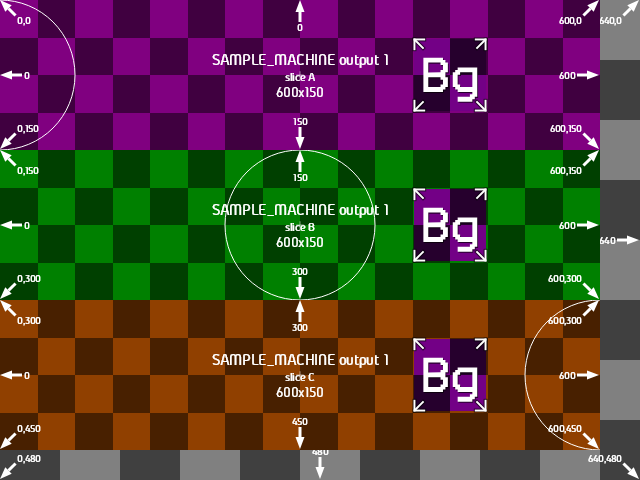
- What it demonstrates: output split into four custom-sized slices, with varying options. Demonstrates many features in a single example.
- Sample config: slices.toml
View sample TOML
# $schema: https://raw.githubusercontent.com/gameshowpro/BgRaster/refs/heads/main/docs/schemas/bgraster-config.schema.json

[text]
format = ["${MachineName} output ${OutputIndexPlusOne}<br>", "slice ${SliceLetterMinusOne}<br>", "${SliceWidth}x${SliceHeight}"]
size = ["16px", "12px", "14px"]
x = ["50vw"]
y = ["50vh"]

[background]
color = ["#808080", "#800080", "#008000", "#904000"]

[circle]
color = ["#ffffff"]
stroke = ["1"]

[logo]
x = "75vw"
y = "50vh"
width = "40vw"
height = "50vh"

[[output]]
target = 0

[output.grid]
size = "25vh"

[[output.slice]]
x = "0"
y = "0"
width = "100vw"
height = "100vh"

[output.slice.text]
size = ["0"]

[output.slice.circle]
size = "0"

[output.slice.grid]
size = "12.5vh"

[[output.slice]]
x = "0"
y = "0"
width = "600px"
height = "150px"

[output.slice.circle]
x = "0"

[[output.slice]]
x = "0"
y = "150px"
width = "600px"
height = "150px"

[[output.slice]]
x = "0"
y = "300px"
width = "600px"
height = "150px"

[output.slice.circle]
x = "100vw"

########### Everything from here ownwards is for sample-building purposes.
########### Remove this is you're copying this sample to a production-ready config file.
[render]
no-assignment = true
no-discovery = true
machine-name = "SAMPLE_MACHINE"
force = true

[render.hardware_output]
index = 0
desktopX = 0
desktopY = 0
widthPx = 1200
heightPx = 630
dpiX = 96
dpiY = 96
rotation = 0
adapterName = "Sample Adapter"
friendlyName = "Sample Hardware Output"
Network Integrated
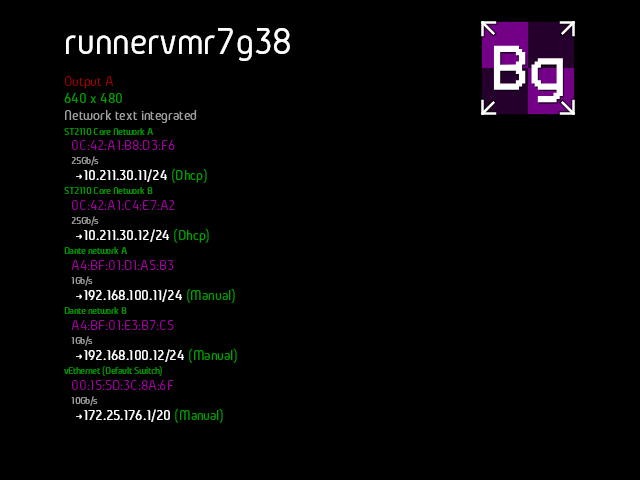
- What it demonstrates: using the
${Network}format variable in a text block. Logo is anchored to the bottom. Colors and sizes are set for every line of the main text and included${Network}. - Sample config: network-integrated.toml
View sample TOML
# $schema: https://raw.githubusercontent.com/gameshowpro/BgRaster/refs/heads/main/docs/schemas/bgraster-config.schema.json

[background]
color = ["black"]

[grid]
size = "0"

[circle]
size = "0"

[crosshair]
length = "0"

[text]
x = "10vw"
y = "20px"
anchor-x = "left"
anchor-y = "top"
text-align = "left"
format = ["${MachineName}<br>", "Output ${OutputLetter}<br>", "${OutputWidth} x ${OutputHeight}<br>", "Network text integrated<br>", "${Network}"]
size = ["8vh", "3vh", "3vh", "3vh", "4vh"]
color = ["#FFFFFF", "#a00000", "#00a000", "#a0a0a0"]

[network]
color = ["#00a000", "#a000a0", "#a0a0a0", "#FFFFFF"]
size = ["2vh", "3vh", "2vh", "3vh", "3vh"]

[logo]
x = "90vw"
y = "20px"
anchor-x = "right"
anchor-y = "top"

[labeled-edges]
thickness = ["0"]

########### Everything from here ownwards is for sample-building purposes.
########### Remove this is you're copying this sample to a production-ready config file.
[render]
no-assignment = true
no-discovery = true
simulate-network = true

[[output]]
target = 0

[output.hardware_output]
index = 0
desktopX = 0
desktopY = 0
widthPx = 640
heightPx = 480
dpiX = 96
dpiY = 96
rotation = 0
adapterName = "FIXED"
friendlyName = "Network Integrated"
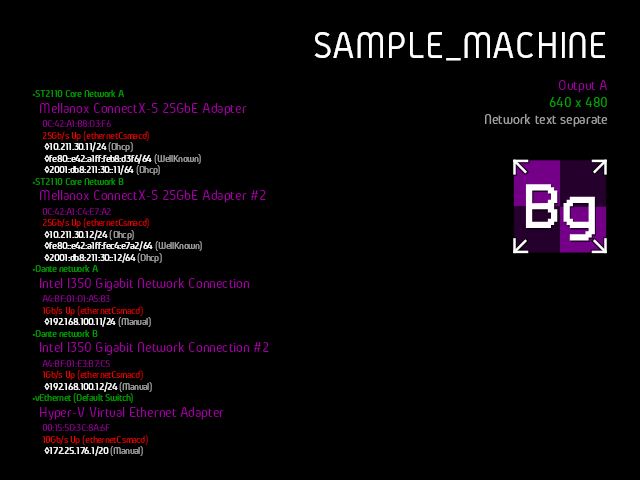
Network Separate
- What it demonstrates: using the dedicated [network] block separate from [text]. Colors and sizes are set for every line of the network block and custom formats are defined exposing extra fields.
- Sample config: network-separate.toml
View sample TOML
# $schema: https://raw.githubusercontent.com/gameshowpro/BgRaster/refs/heads/main/docs/schemas/bgraster-config.schema.json

[background]
color = ["black"]

[grid]
size = "0"

[circle]
size = "0"

[crosshair]
length = "0"

[network]
render = true
require_family = ""
adapter_format = ["•${Name}<br>", "  ${Description}<br>", "    ${MacAddress}<br>", "    ${Speed} ${Status} (${Type})<br>", "${IpAddresses}<br>"]
ip_address_format = ["     ◊${Address}/${CidrBits}", " (${Origin})<br>"]
color = ["#00a000", "#a000a0", "#900090", "#ff0000", "#fff", "#a0a0a0"]
size = ["2vh", "3vh", "2vh", "2vh", "2vh", "2vh"]
x = "5vw"
y = "95vh"
anchor-x = "left"
anchor-y = "bottom"
text-align = "start"

[text]
x = "95vw"
y = "5vh"
anchor-x = "right"
anchor-y = "top"
text-align = "end"
format = ["${MachineName}<br>", "Output ${OutputLetter}<br>", "${OutputWidth} x ${OutputHeight}<br>", "Network text separate"]
size = ["8vh", "3vh", "3vh", "3vh"]
color = ["#FFFFFF", "#a000a0", "#00a000", "#a0a0a0"]

[logo]
x = "95vw"
y = "33vh"
anchor-x = "right"
anchor-y = "top"

[labeled-edges]
thickness = ["0"]

########### Everything from here ownwards is for sample-building purposes.
########### Remove this is you're copying this sample to a production-ready config file.
[render]
no-assignment = true
no-discovery = true
machine-name = "SAMPLE_MACHINE"
simulate-network = true

[[output]]
target = 0

[output.hardware_output]
index = 0
desktopX = 0
desktopY = 0
widthPx = 640
heightPx = 480
dpiX = 96
dpiY = 96
rotation = 0
adapterName = "FIXED"
friendlyName = "Network separate"